Travel Guide
Everest Base Camp Trek Solo: Guide for Solo Trekkers
I often meet trekkers who want to go to Everest Base Camp trek solo on their own. Some want the freedom to…
S
Saligram
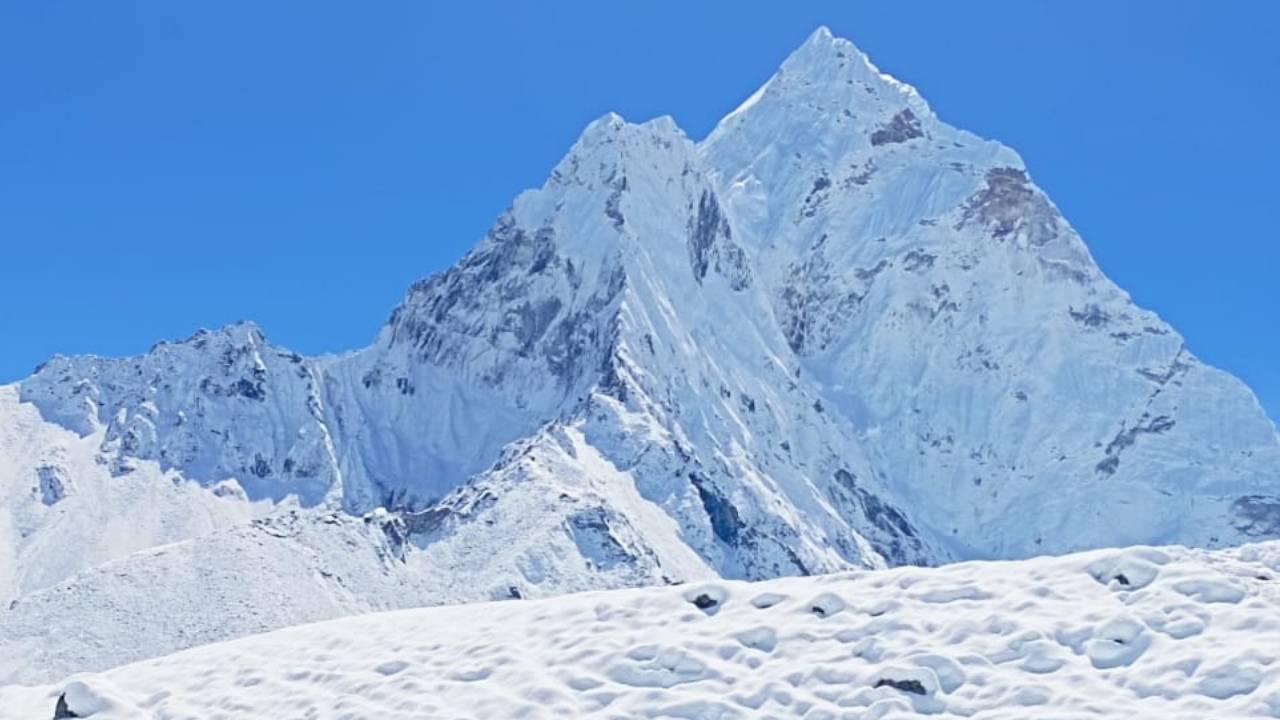
Stay connected on the trail with practical information about mobile networks, Wi-Fi, charging, power banks and phone battery use from Lukla to Everest Base Camp.
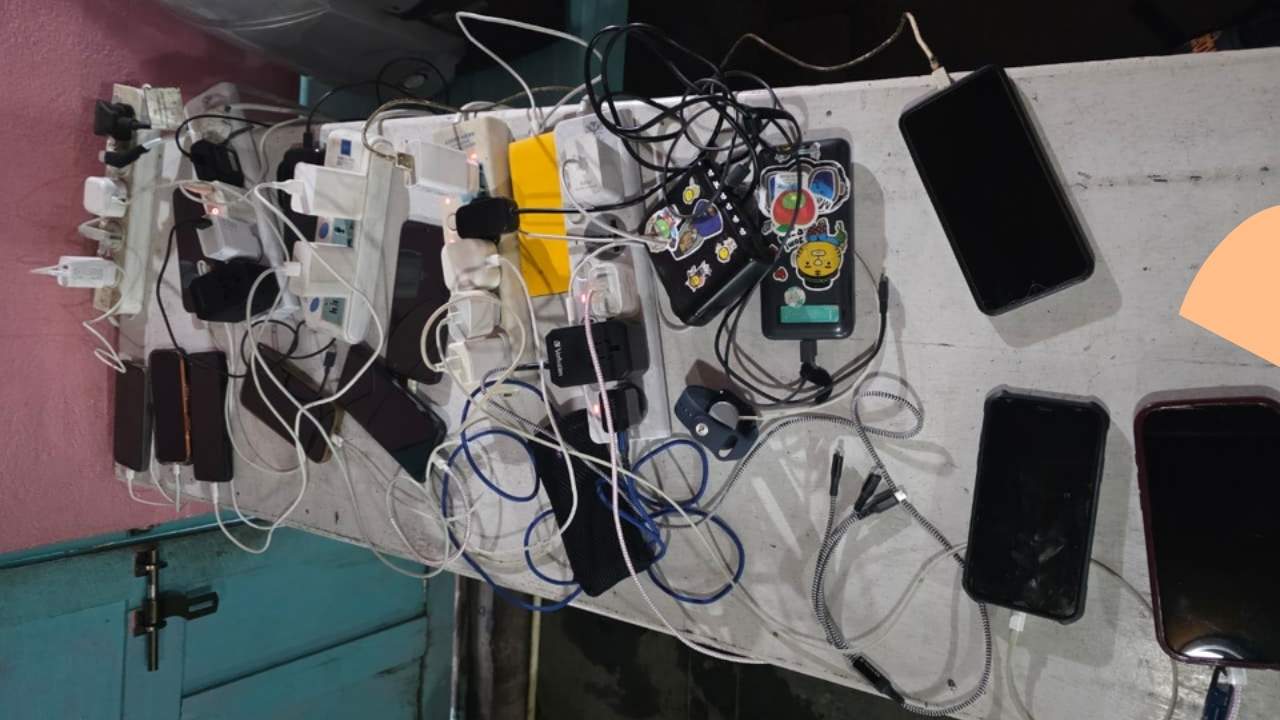
What trekkers should know about mobile data, Wi-Fi, charging, and phone batteries in the Khumbu.
You can stay connected during the Everest Base Camp Trek, but the type and reliability of the connection change as you climb higher. In the lower villages, mobile data is useful for messages, calls, email and other basic tasks. Higher in the Khumbu, lodge Wi-Fi and Everest Link become more useful, while there can also be periods with little or no usable signal.
I have been guiding in the Everest region since 2002, and I use mobile data on this route myself. For the Everest trek, I prefer NTC (Nepal Telecom). In my experience, NTC has generally given me the better data connection as we go higher. Ncell also works in parts of the Khumbu, but if I carry only one local SIM, I choose NTC.
Charging needs some planning too. Many lodges have charging facilities, but access becomes more limited and usually more expensive at higher elevations. For a normal EBC trek, I recommend a 20,000 mAh power bank, along with a spare charging cable.
Mobile coverage is strongest around the larger settlements and becomes more variable as you gain altitude. Mountain terrain affects the signal, so your phone may show service in one location and lose it a short distance later.
For normal communication, mobile data is useful for WhatsApp messages, email, weather checks and other basic internet services. I would not plan an important video meeting, large file upload or other work that needs a continuous connection around the high section of the trek.
I recommend NTC for mobile data because that is the network I have found more useful while guiding in the Everest region. Ncell also has service in parts of the Khumbu, particularly around some of the lower settlements, but I would use it as a backup rather than my main SIM.
This is based on my experience on the trail, not a guarantee of coverage at every point. Network equipment, terrain and local conditions can affect the signal.
If your phone supports two SIMs, you can use NTC as your main connection and keep Ncell as a second option. Most trekkers, however, do not need two SIM cards.
| What you need | My advice |
| One local SIM | NTC |
| Main mobile data | NTC |
| Backup network | Ncell, optional |
| Dual-SIM phone | NTC + Ncell |
| Important calls | Make them when you have a good signal. |
| Navigation | Download maps for offline use. |
Mobile data is generally more useful in the lower Khumbu and becomes more variable higher up. The following gives a practical idea of what I would expect at the main stops.
| Area | Mobile connectivity |
| Lukla | Mobile data and Wi-Fi options |
| Phakding | Mobile data and Wi-Fi options |
| Namche | Good place to get online |
| Tengboche | More variable |
| Dingboche | Variable, with Wi-Fi options |
| Lobuche | More limited |
| Gorak Shep | Use the connection available. |
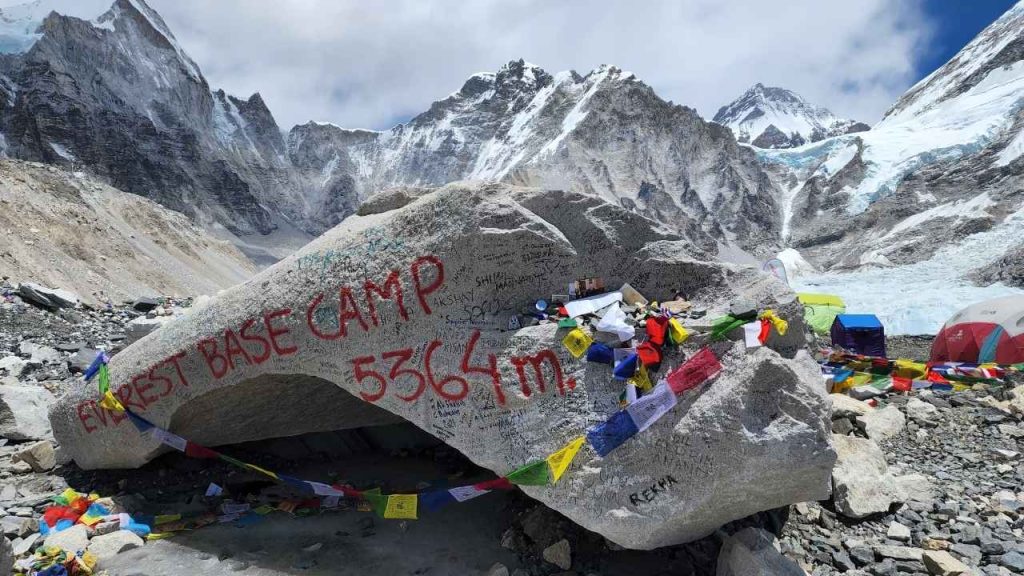
| Everest Base Camp | Do not depend on mobile data. |
This is a planning guide rather than a coverage guarantee. The exact signal can change with location and network conditions.
If you have an important message to send, call or file to send; use a good connection when you find one. I would rather send something important from Namche or Dingboche than wait for a stronger signal farther up.
Paid Wi-Fi gives trekkers another way to get online when mobile data is not useful. Everest Link provides Wi-Fi service at several locations along the Everest route, including higher settlements.
Many trekking lodges also offer Wi-Fi, but the service is not the same everywhere. Speed, reliability, and availability depend on the lodge and the connection serving that location.
Namche has more choices because it is a larger settlement. Farther up the route, there are fewer options, and interruptions are more common. Everest Link can be useful when you need to check work email, contact family, or send something important, but I would not expect the speed of a normal home connection in Kathmandu.
Namche Bazaar is one of the best places on the route to catch up on internet use. Your acclimatization day is a good time to contact family, check messages, download anything you need and back up photographs. It is also a good place to charge your phone and power bank before heading higher.
At Tengboche, mobile service and Wi-Fi may be available, but the connection is more variable than in Namche. It is fine for basic communication when the service is working, but I would not schedule important online work around it.
Dingboche has Wi-Fi options, including Everest Link, and mobile data may work depending on the location. Since many trekkers spend an acclimatization night here, it is a useful place to charge devices and take care of any important online tasks before continuing higher.
At Lobuche, internet options are more limited. Everest Link provides Wi-Fi service, but I would use it for basic communication rather than plan a work meeting around it.
Gorak Shep also has Everest Link Wi-Fi. You may be able to send messages and check basic information, but the connection can vary. By this point, your maps, itinerary, emergency contacts and important documents should already be available offline.
At Everest Base Camp, Everest Link provides Wi-Fi service, but a Wi-Fi hotspot does not mean you should expect a fast or uninterrupted connection. The Base Camp area is remote, so your visit should not depend on getting online.
There is no single internet price for the entire Everest Base Camp route. Your cost depends on the mobile data package you use and whether you pay for lodge Wi-Fi or Everest Link.
For basic communication, an NTC data package may be enough in areas where mobile service is available. You can then pay for Wi-Fi only when you actually need it.
Internet and data packages change, so I would check the current rates before your trek rather than relying on an old price listed online.
Buying a local SIM in Kathmandu is practical for most trekkers. Nepal Telecom and Ncell offer prepaid and tourist options with different data packages and validity periods.
After buying your SIM, test it before leaving Kathmandu. Make sure mobile data works and that you know how to check your balance. It is much easier to solve an activation or setup problem in Kathmandu than on the trekking route.
International roaming can also work if your home provider supports Nepal. It is convenient if you need to keep your normal number active, but roaming data can cost much more than a local SIM.
If your phone supports dual SIM, one useful setup is to keep your home SIM active for banking messages or two-factor authentication while using NTC for local data.
eSIM is also available in Nepal if your phone supports it and the provider offers a suitable plan. Check that your phone is unlocked and compatible before buying an eSIM. For the Everest trek, I would choose the network based on its usefulness on the route rather than choosing a SIM simply because it is an eSIM.
You can charge your phone at many lodges along the Everest route. Electricity is easier to access in Kathmandu and the lower villages, while charging becomes less convenient and generally more expensive at higher elevations.
At busy lodges, several trekkers may need to use the same sockets for phones, cameras, and power banks. You may also need to wait for an available socket.
For this reason, I charge whenever I have the opportunity rather than waiting until the battery is almost empty. Your phone and power bank are more useful when they are already charged before you start the next day’s walk.
Camera batteries can run down quickly when you take a lot of photographs or video. If you carry a mirrorless or DSLR camera, bring a spare battery if possible and protect both batteries from the cold.
If your phone is your main camera, your power bank becomes even more useful because photographs, video, GPS, maps, and screen use all consume battery.
You should also carry one spare charging cable. Keep your cables and power bank together in a small waterproof pouch and test every cable with your devices before leaving Kathmandu.
A cable that stops working in Namche is easy to replace. A cable that stops working near Gorak Shep is a different problem.
For a normal Everest Base Camp Trek, I recommend a 20,000 mAh power bank. A 10,000 mAh model can be enough for light phone use, but 20,000 mAh gives you more backup when charging is limited.
Your phone may be used for maps, photographs, video, GPS, messages, and weather checks, so heavy use can drain the battery quickly.
Cold temperatures also reduce battery performance. A phone that lasts comfortably at room temperature may lose charge faster higher in the Khumbu.
To save battery:
If there is no signal, do not keep checking your phone every few minutes. A phone searching continuously for a network can use a lot of battery.
For a standard 12 to 14-day lodge-based EBC trek, I do not think a solar charger is necessary. A good power bank is simpler to carry and use.
Solar charging becomes more useful for longer camping trips, remote expeditions, and journeys where you will spend many days without access to lodge electricity.
Prepare your phone in Kathmandu before you start walking toward Namche.
Download your offline trekking maps, itinerary, hotel confirmations, flight information, insurance documents, and passport copy. Also save your guide’s number, your trekking agency’s contact number, emergency contacts, and any other information you may need without internet.
Offline translation tools can also be useful. For important documents, I like having both the original file and a screenshot saved on the phone.
Your phone should remain useful even when there is no mobile data or Wi-Fi.
WhatsApp works whenever you have usable mobile data or Wi-Fi. Text and voice messages are usually easier to send than video calls when the connection is weak. Photographs can also be sent when the connection is good enough, while large videos may take much longer.
Normal mobile calls can work when your SIM has a usable network signal. If you need to make an important call, use a good signal rather than waiting until you are higher on the route.
Save important phone numbers before starting the trek. That way, you can call someone directly without needing an internet connection to find their contact details.
Light online work is possible from some villages, particularly the larger settlements where you have more internet options. Email, messages, and simple online tasks can usually be managed when the connection is working.
I would not treat the Everest Base Camp route as a dependable remote office. Long video meetings, large file transfers, and work that requires uninterrupted internet are difficult to plan around.
There is also the trekking schedule itself. You will spend most of the day walking, and acclimatization days are used for adjusting to altitude, not for sitting online for hours.
If you have an important deadline, finish the critical work before heading into the higher Khumbu.
The exact itinerary can change because of Lukla flight conditions, weather, acclimatization and route decisions. The connectivity pattern below gives a practical guide for a standard EBC itinerary.
| Day | Route | Connectivity plan |
| 1 | Kathmandu to Lukla, trek to Phakding | Mobile data or Wi-Fi |
| 2 | Phakding to Namche | NTC as the main option |
| 3 | Namche acclimatization | Calls, downloads, and charging |
| 4 | Namche to Tengboche | Use a connection when available. |
| 5 | Tengboche to Dingboche | Expect more variation. |
| 6 | Dingboche acclimatization | Charge devices and use Wi-Fi if needed. |
| 7 | Dingboche to Lobuche | Keep maps and documents offline. |
| 8 | Lobuche to Gorak Shep and Everest Base Camp | Do not depend on mobile data |
| 9 | Kala Patthar, Gorak Shep to Pheriche | Phone mainly for maps and photographs |
| 10 | Pheriche to Namche | More connection as you descend |
| 11 | Namche to Lukla | More opportunities to get online |
| 12 | Lukla to Kathmandu | Normal connectivity after returning |
The remaining days of a 14-day package may include travel or itinerary adjustments depending on the exact trek arrangement. The important point is that connectivity generally becomes easier again as you descend toward Namche and Lukla.
I keep electronics simple for the Everest trek. Most trekkers do not need a large collection of devices.
| Item | What I would use |
| Main mobile data | NTC |
| Second SIM | Ncell, optional |
| Power bank | 20,000 mAh |
| Navigation | Offline map |
| Internet backup | Wi-Fi / Everest Link |
| Charging | Lodge charging + power bank |
| Camera | Spare battery if possible. |
| Documents | Offline copies |
| Charging cable | Main cable + spare |
For most people, a phone, local SIM, power bank, charging cable and offline information are enough.
I have guided the Everest route since 2002, and I have seen trekkers spend too much time worrying about whether their phone will have a signal. You can stay in contact with family during the trek, but you should also be comfortable with periods when the phone does not connect.
My setup is simple: NTC for mobile data and a 20,000 mAh power bank for backup and important information saved offline. I use Wi-Fi or Everest Link when I need it, but I do not plan the trek around being online.
Before leaving Kathmandu, activate and test your SIM, download your maps and documents, save important numbers, charge your devices, and carry a spare cable. Once you are higher in the Khumbu, use the connection when it is there and put the phone away when it is not.
The Everest Base Camp Trek is a walking journey, not a place where you need to stay connected every minute. Your phone is useful for communication, navigation, and photographs, but it should not be the thing your trek depends on.
Connect with an expert - real trek leaders in Kathmandu, free advice, no pressure.
I often meet trekkers who want to go to Everest Base Camp trek solo on their own. Some want the freedom to…
Saligram
An Everest Base Camp Trek with Family requires more planning than trekking with a group of adults, but it can be done…
Saligram
The price of an Everest Base Camp trek covers the main services in your package, but you will still have some personal…
Saligram
Get quick answers about Wi-Fi, mobile data, phone charging, electricity, and staying connected during the Everest Base Camp Trek.
I recommend NTC for mobile data based on my experience using it on the Everest route. Ncell also works in parts of the Khumbu, but I would choose NTC if I were taking only one local SIM.
NTC provides mobile service in parts of the Everest region, but coverage is not guaranteed at every point. From my experience, it has generally been the more useful option for mobile data on this route.
Yes. Ncell works in parts of the Khumbu, although the signal varies by location. I would use it as a backup rather than my first choice for EBC data.
Yes. Many lodges have Wi-Fi, and Everest Link provides paid Wi-Fi at several locations along the route.
Everest Link provides Wi-Fi service at Everest Base Camp. However, you should not expect a fast or uninterrupted connection there.
Yes. Everest Link provides Wi-Fi service at Gorak Shep. Service can vary, so keep important maps and documents available offline.
There is no single price for the whole route. Your cost depends on your NTC data package, lodge Wi-Fi, and whether you use Everest Link. Check current prices before your trek.
Yes. Many lodges offer charging, but availability and prices vary. A 20,000 mAh power bank provides useful backup.
Yes. I recommend a 20,000 mAh power bank for most EBC trekkers.
Yes. Cold temperatures can reduce battery performance. Keep your phone and spare batteries protected from the cold, especially overnight.
Usually not for a standard lodge-based EBC trek. A good power bank is simpler and more practical.
Yes, when you have mobile data or Wi-Fi. Text and voice messages are generally easier than video calls when the connection is weak.
You can handle light online work from some villages, but I would not depend on uninterrupted internet for meetings, large uploads, or important deadlines.
Yes. Download offline maps before leaving Kathmandu so you can navigate without mobile data.
You may be able to use international roaming if your provider supports Nepal. Check the cost first because local data is usually more practical for a trekking trip.
Yes, if your phone supports eSIM and the provider offers a suitable plan. Ncell and Nepal Telecom offer eSIM options, but check compatibility before purchasing.
Still have questions? Our team responds within 24 hours.
Inquire Now.


